
Your photos. The biggest screen in the house.
Frameleaf for Apple TV brings your whole library to the sofa: memories that play as a show, everyone in your photos on a page of their own, and a living photo frame when you're not browsing. Straight from your own server.

Included with the iPhone and iPad app.
Made for the remote.
Home opens on your favourites
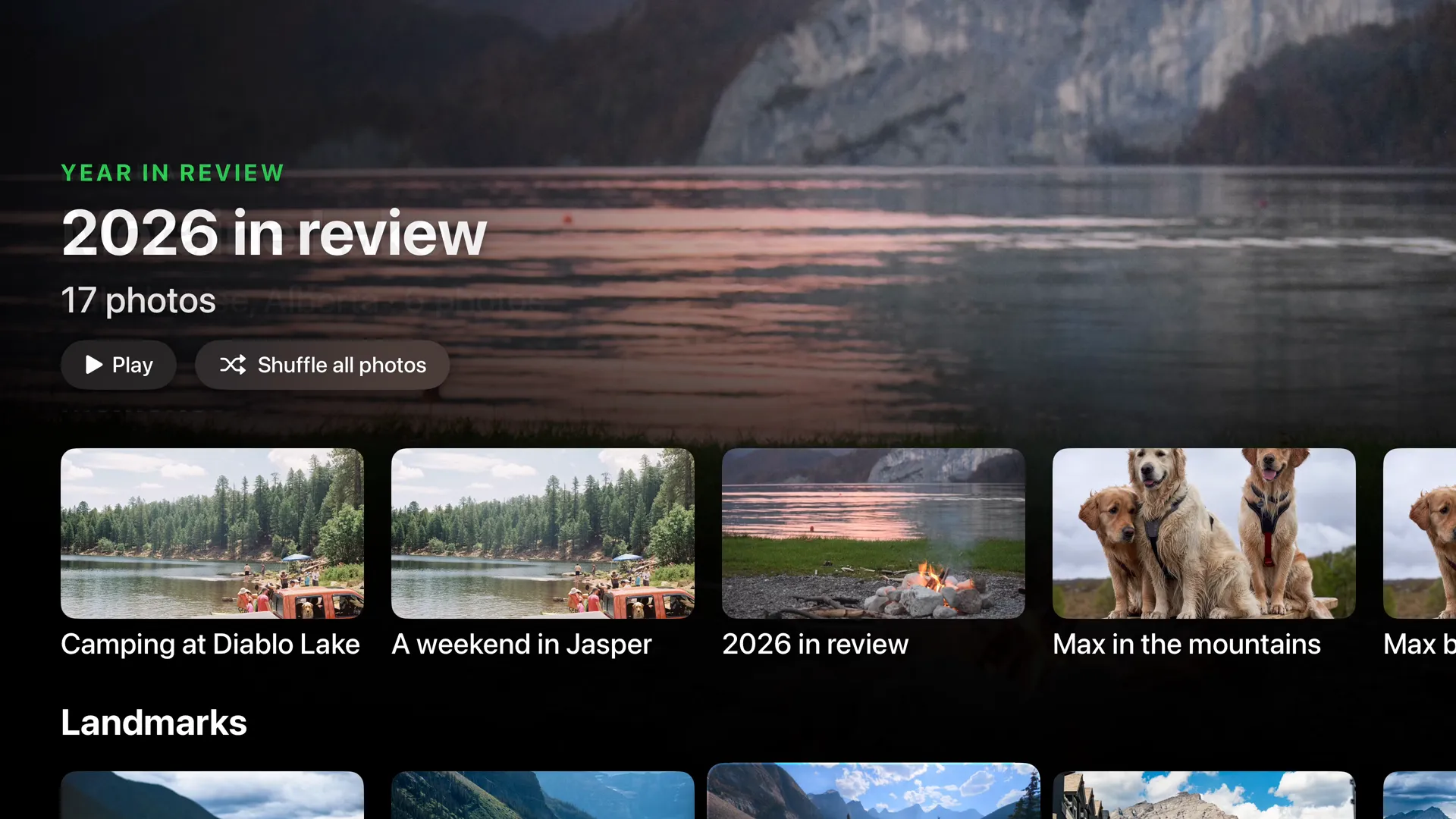
A full-screen hero, then rows of favourites, best photos, memories, landmarks and places.
Memories, made for you
On this day, years in review and the trips you took, ready to play the moment you sit down.
Places, albums and people
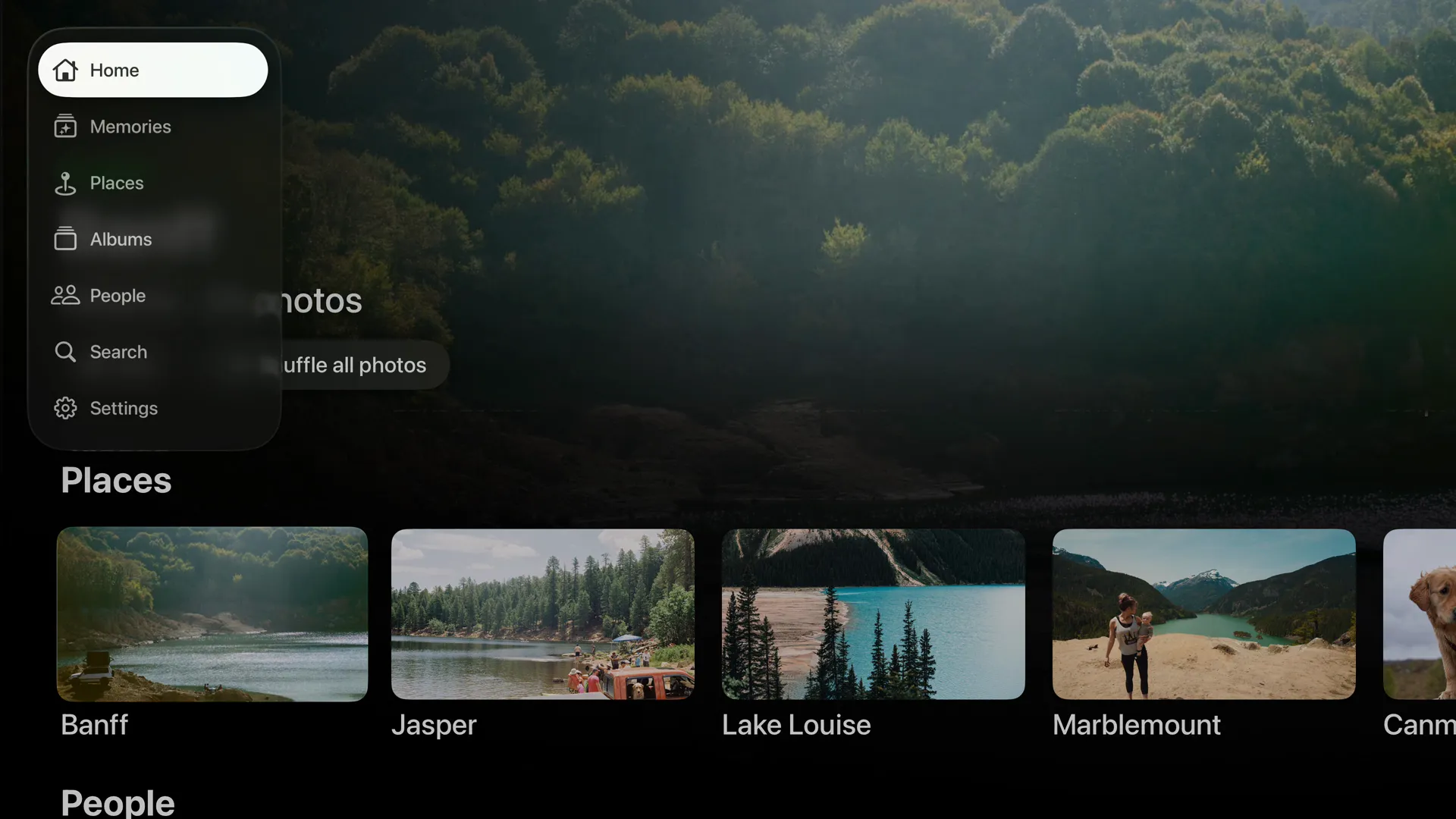
A sidebar takes you anywhere. Browse by place and landmark, or flip through your albums.
Everyone gets a page
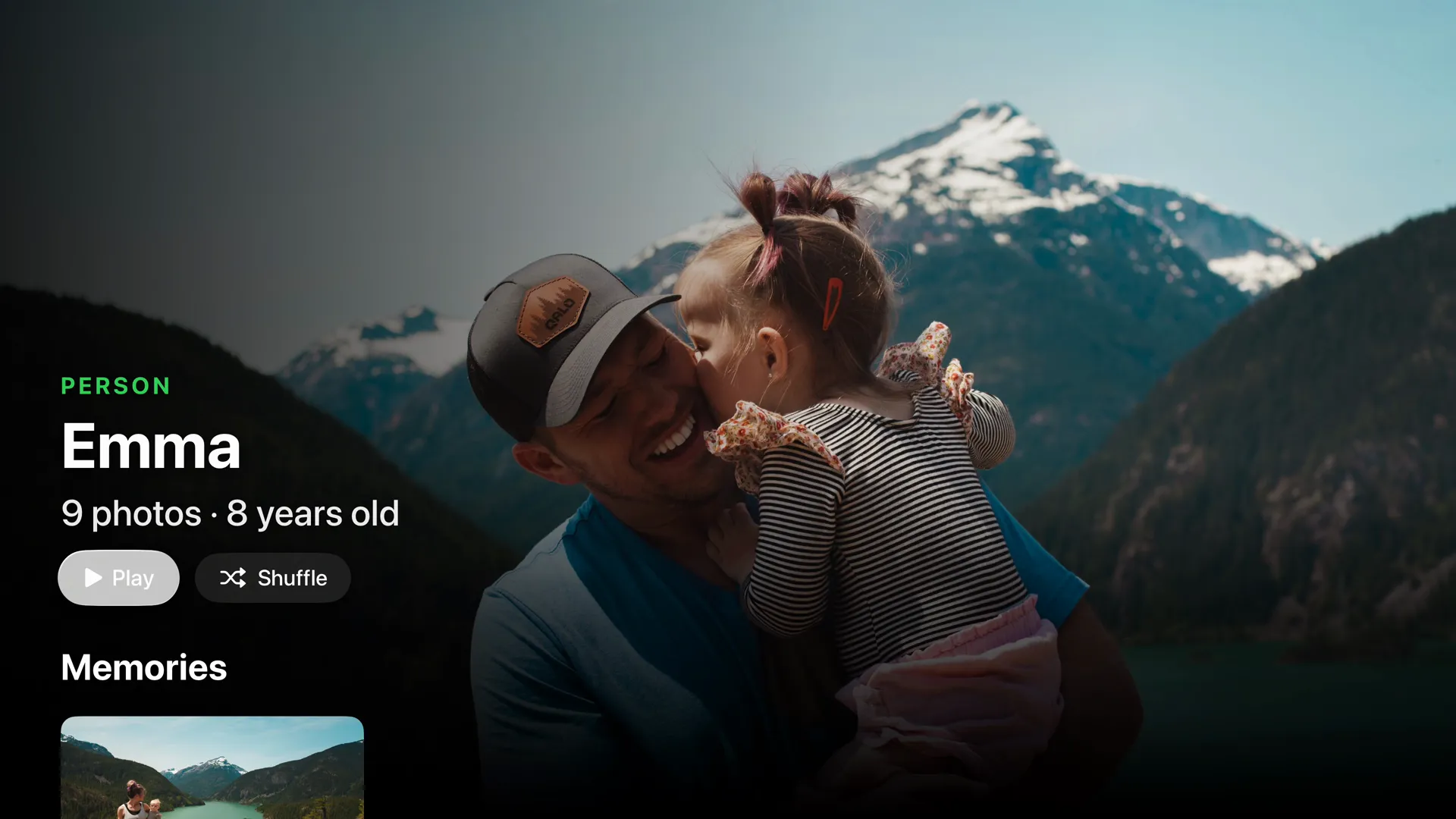
People and pets each get a page, with their age and the memories that are all about them.
Search for anything
Type “lake” and every lake you’ve stood beside turns up, ready to play.
Favourite it from the couch
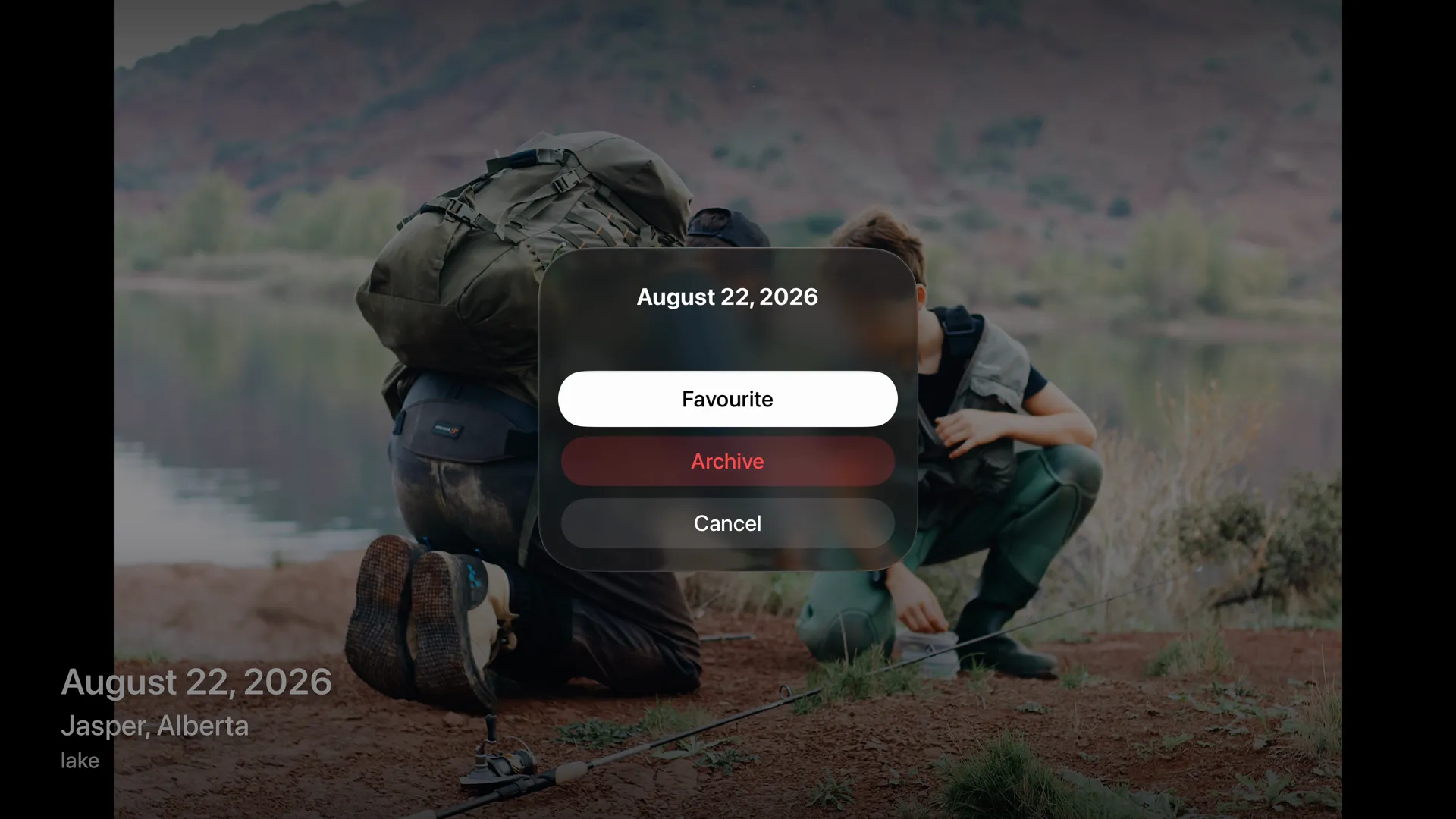
Open any photo full screen, then press and hold to favourite or archive it.


Press play, and a memory becomes a show.
Pick a memory, an album, a person or a place and press Play, or Shuffle all your photos. The show runs at an easy, unhurried pace with the date and place in the corner.
- A title card sets the scene, then every photo follows in order.
- Music included. Memories play with bundled, licensed music. Turn it off in Settings.
- Live Photos and short videos move as they come up.

A living photo frame.
When you're not browsing, your TV can keep showing your photos. Live Photos move, and the slideshow settings live in one place on the TV.
- Show the time and photo details quietly in the corner, or neither.
- Your pace. Choose how long each photo shows, in order or shuffled.
- Stays awake. Frameleaf keeps the Apple TV on while a slideshow plays, then lets it sleep after the time you choose.

People, pets and the moments that are theirs.
Faces are recognised on your server. On the TV, each person or pet becomes a page you can play.
Their own page
Photo count and age at a glance, with Play and Shuffle.
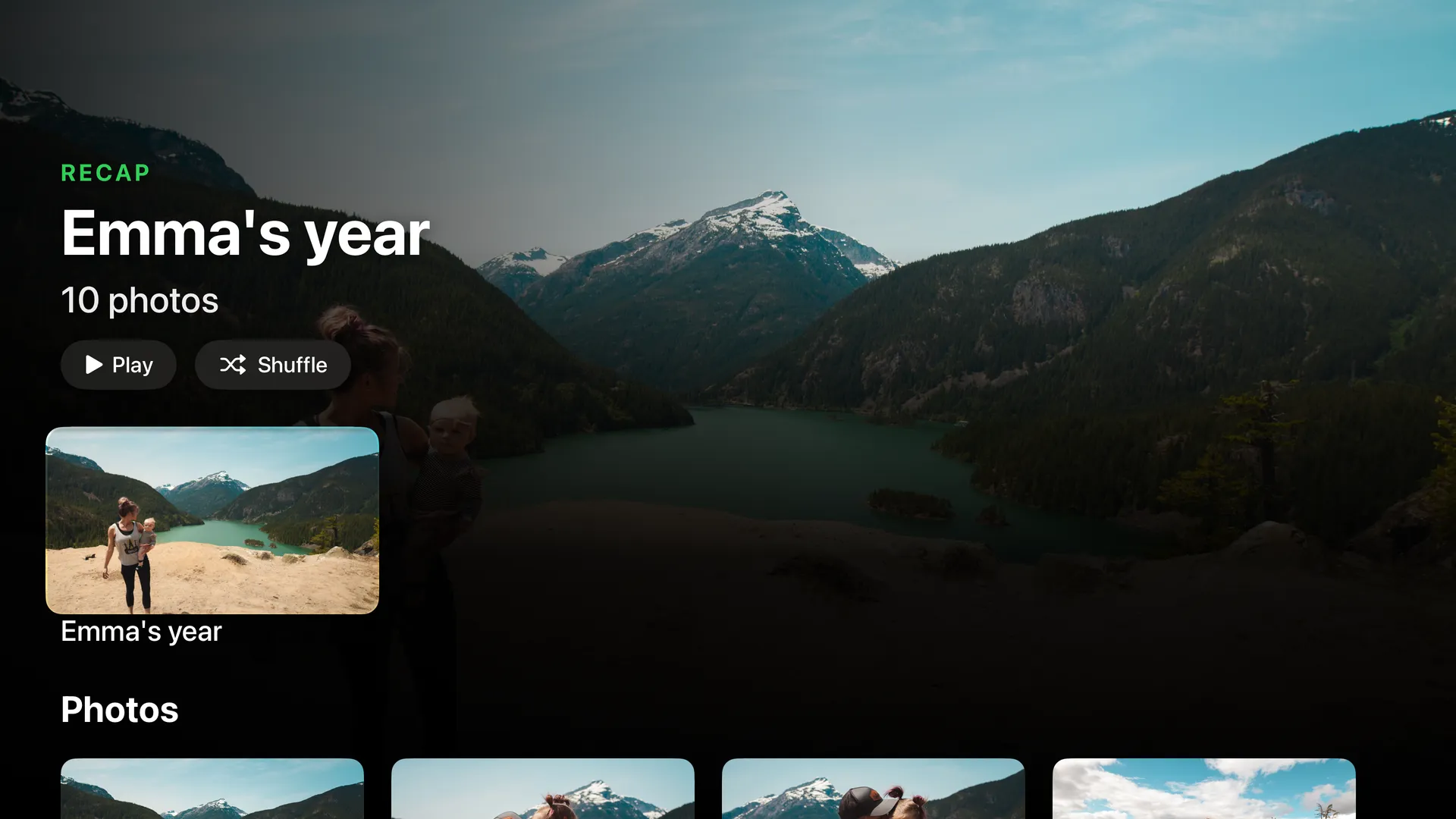
Their own memories
Recaps like “Emma’s year”, ready to play as a show.

On this day
What happened this week in other years, on Home every day.
Sign in with your phone.
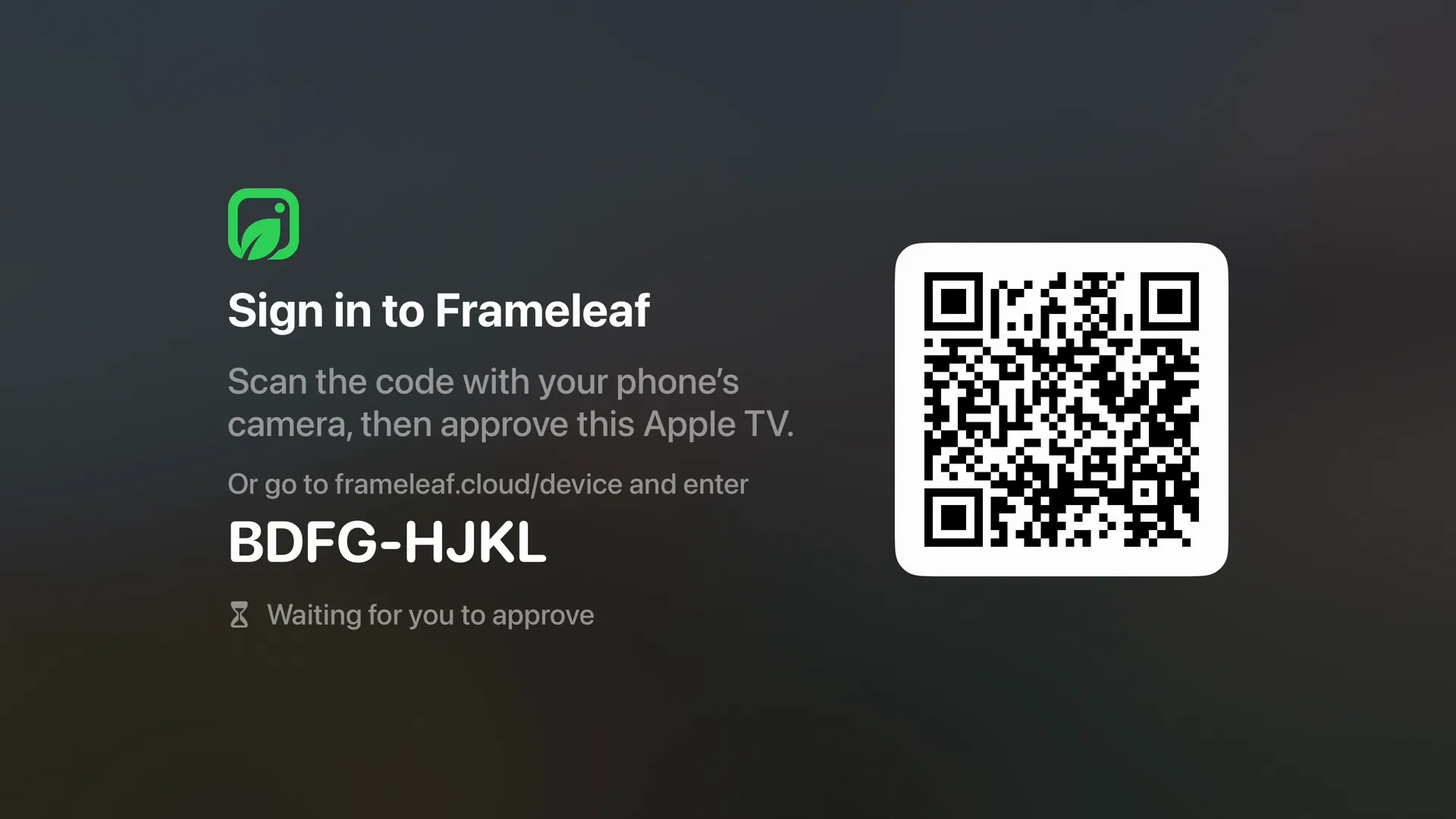
No typing passwords with a remote. Scan the code with your phone's camera and approve the Apple TV, or enter the short code at frameleaf.cloud/device. Each tvOS profile can sign in to its own Frameleaf.
At home on Apple TV.
The parts of tvOS and iPhone you already use, wired into your library.
Play on Apple TV
Choose an album, person or memory on your iPhone and send it to the TV signed in to the same account.
SharePlay
Watch a memory together over FaceTime. It shares through a link the host gives permission for.
Top Shelf
Your photos above the app on the Home Screen, written each time Home loads.
Siri
“Play photos in Frameleaf”, open an album, person, memory or place by name, or search.
Videos with sound
The original at home, or your server's encoding when you're away.
Ten languages
The TV app is translated into the same ten languages as the iPhone app.
What you need.
Frameleaf for Apple TV is part of the same App Store app as iPhone and iPad. Install it on Apple TV and sign in with your Frameleaf account.
Apple TV
An Apple TV with tvOS 26 or later.
Your server
A Frameleaf server with Frameleaf Cloud remote access, which the TV uses to sign in and reach your library.
A phone to approve it
Approve the TV once from your phone, then it stays signed in until you sign it out.
See it on the big screen.
A minute and a quarter with Frameleaf on Apple TV, from sign-in to the slideshow. Sound on.