
Free to run. Simple to extend.

Give everyone in the house their own library on hardware you control. The self-hosted software is free; a one-time supporter licence and one Cloud plan add access away from home, 1 TB of off-site backup, buddy backup without network configuration and the Apple TV app.

Pricing

Frameleaf Cloud

$9.99 / month

From $9.29 a month with a Server licence. The included terabyte alone matches the price of an extra one; everything else comes with it.

Check Cloud availability
  • Your library away from home through an encrypted relay, with no ports to open
  • Phone backup while away, so new photos reach your server from anywhere
  • Shared links that work away from home, without exposing your network
  • Your own domain with managed verification and certificates, when available
  • 1 TB of off-site backup, restorable to a replacement server with your saved key. A Server licence backs up everyone on the server; an Individual licence backs up only its owner
  • Buddy backup without network configuration, so your server reaches a friend's wherever it is. Both servers need a Server licence; over a direct connection, buddy backup needs no plan
  • Frameleaf for Apple TV: memories, people and a photo frame on the big screen
  • Sign in with Frameleaf, family invites and push notifications in the apps
  • Alerts when your server goes offline or a backup fails
  • Priority support
  • Extra storage at $9.99 per terabyte each month, billed from peak usage
  • Cloud GPU jobs paid from your AI credit

You need a supporter licence, activated on a server linked to your account, before you buy a plan. A Server licence takes 7% off: $9.29 a month or $92.91 a year. An Individual licence takes 5% off: $9.49 a month or $94.90 a year. The two never add up; with both, you get 7%. Extra storage and AI credit are never discounted.
Self-hosted

$0
  • Your library, faces, search and editing on hardware you control
  • No Cloud account or supporter licence needed
  • Open source under AGPLv3
See setup and availability

AI credit

$20 and up
  • Prepaid balance for cloud GPU jobs
  • Review the estimated cost and inputs before confirming
  • Optional automatic top-up
How cloud GPU works

Published web plan pricing in USD. Hardware, electricity and your internet connection are separate. Check the account site for service availability, current prices, taxes, plan limits and purchase terms before paying.

Support the project. Make it yours.

A one-time supporter licence helps fund Frameleaf. You need one before you buy a Cloud plan or AI credit, and it decides who on your server gets Cloud Backup. Your local library stays free, with or without one.

Supporter Individual

$25 USD · one time
  • A supporter badge for your own account
  • Lets you buy a Cloud plan and AI credit
  • With a Cloud plan, Cloud Backup for your own account
  • 5% off Cloud plans
  • Doesn't create Buddy backup pairings
  • Use on one Frameleaf server at a time; paid once, yours for life
Choose Individual

Supporter Server

$100 USD · one time
  • A supporter badge for every account on the server
  • Lets you buy a Cloud plan and AI credit
  • With a Cloud plan, Cloud Backup for every account on the server
  • A Frameleaf direct address and certificate, so browsers and your Buddy partner reach the server over HTTPS
  • New Buddy backup pairings, free over a direct connection
  • 7% off Cloud plans
  • Use on one server at a time; paid once, yours for life
Choose Server

Activate your licence on a server linked to your Frameleaf account. It then takes money off the standard Cloud plan: Supporter Server takes 7% off, so $9.29 a month or $92.91 a year, and Supporter Individual takes 5% off, so $9.49 a month or $94.90 a year. The two never add up; with both, you get 7%. Access away from home and backup storage come with the Cloud plan, not the licence. The discount does not cover Cloud Pro, extra backup storage, AI credit or GPU time. A licence never locks your local photos or anything you run yourself. The purchase screen shows availability, taxes and final terms.

For photographers

Frameleaf Cloud Pro.

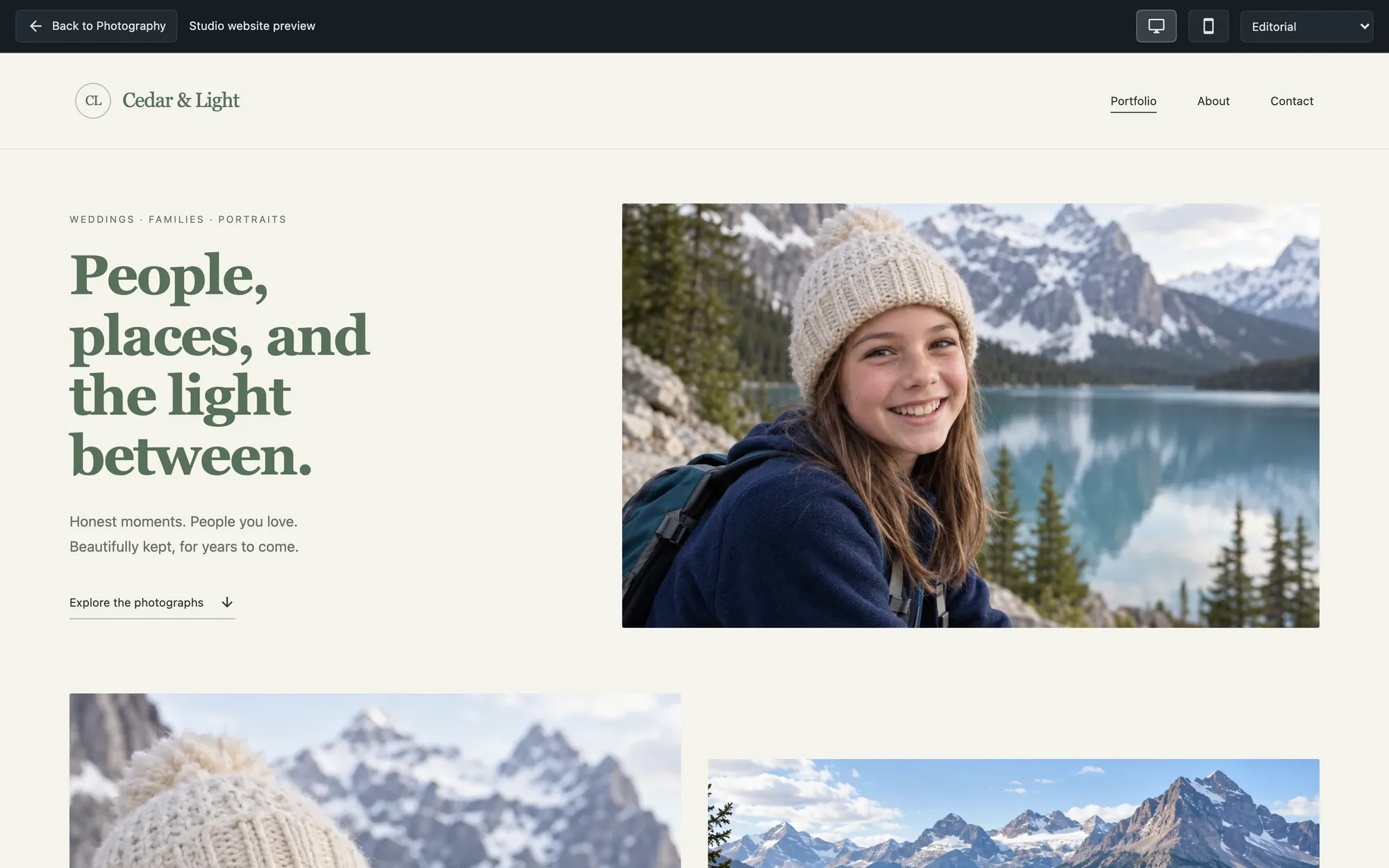
Keep originals, editing and client workflow on your own server. Optional Cloud Pro adds managed publishing for your studio website and selected client galleries, while your server remains the home of your library.

See the account site for availability, pricing and included services.

Frameleaf for photographers
A studio website published from a Frameleaf server

What's in each.

FeatureSelf-hostedWith Frameleaf Cloud
Photo and video library, timeline, albums, folders and tagsIncludedIncluded
Native iPhone and Android apps, web app and StudioIncludedIncluded
Faces, smart search, AI descriptions and editing on your hardwareIncludedIncluded
People on your server, each with their own libraryCapacity depends on your serverCapacity depends on your server
Phone backup while away from homeYour network, VPN or reverse proxyIncluded
Shared links that work away from homeYour own reverse proxyIncluded
Remote accessYour network, VPN or reverse proxy. A Server licence adds a Frameleaf direct address and certificate for browsersFrameleaf direct address plus the encrypted relay, and the Frameleaf apps away from home
Your own domainConfigure your own remote accessManaged verification and certificates when available
Off-site backupYour own compatible encrypted bucket1 TB included with a supporter licence; extra web storage $9.99 per TB/month
Buddy backup to a friend's serverServer licence on both servers, over a direct connection: the licence's Frameleaf direct address or your own Public server URLAlso without network configuration. Server licence on both servers
Frameleaf for Apple TVNot includedIncluded
Cloud GPU for supported processing jobsNot includedAI credit; estimate and consent before confirming
Sign in with Frameleaf and invite family by accountNot includedIncluded
Push notifications to the appsNot includedIncluded
Alerts when your server goes offline or a backup failsNot includedIncluded
Updates and supportCommunityPriority support
Price$0$9.99 a month or $99.90 a year

Questions about paying.

Is anything on my server locked?

Your local library does not require a Cloud subscription or supporter licence. You supply the server, storage and internet connection; optional services have their own terms.

What if I use more than 1 TB of backup?

Published web pricing adds storage in 1 TB blocks at $9.99 a month per extra block, billed from peak usage. Other purchase channels may use fixed tiers. Review your plan’s storage and upgrade rules before adding more.

Does buddy backup cost extra?

No, as long as your two servers connect directly, through the Frameleaf direct address that comes with a Server licence or your own HTTPS Public server URL set under Remote access. Both servers need a Server licence to start a new pairing, and there is no charge for storage on your buddy’s disk. A Frameleaf Cloud plan is needed only if you want buddy backup without network configuration.

How does AI credit work?

Published top-ups start at $20. You need a supporter licence on a linked server to buy credit. A manual job shows an estimate before confirmation and reserves credit while it runs. Final charges can include a start fee or minimum; check expiry, cancellation and refund terms in the wallet.

What do supporter licences do?

Supporter Individual is $25 and Supporter Server is $100, each paid once and yours for life. Activated on a server linked to your account, either one lets you buy a Cloud plan or AI credit. A Server licence gives everyone on the server a supporter badge, Cloud Backup with a Cloud plan, new Buddy backup pairings and 7% off the plan. An Individual licence gives you a badge, Cloud Backup for your own account with a Cloud plan, and 5% off. The discounts never add up. A Server licence also gives your server a Frameleaf direct address for browsers and Buddy backup. The relay, the Frameleaf apps away from home and backup storage come from the Cloud plan.

What happens if I cancel?

Your local library stays on your disks. Cloud access and new backups can stop when the plan ends. Read the cancellation notice and recovery deadline, keep a local sign-in, and recover any remote copy you need before the deadline.

What is Cloud Pro?

An optional managed publishing plan for photographers, separate from the local studio tools. Check the account site for availability, pricing and included services. Supporter discounts apply only to the standard Cloud plan.

Can the whole family share one plan?

People can share a server while keeping separate libraries. The owner manages its Cloud services; check the plan’s linked-server limit and permissions before adding more servers or people.

Where do I pay?

Use the payment methods and purchase channels currently offered by your Frameleaf account or compatible app. The purchase screen shows the applicable price, renewal and storage terms.

Common questions

Search all answers · Browse the full FAQ