
Bring people into the picture.
Build a family album together, give a partner their own copy of your library, or send a trip to someone without an account. Start with separate libraries and choose the photos, people and permissions for each share.
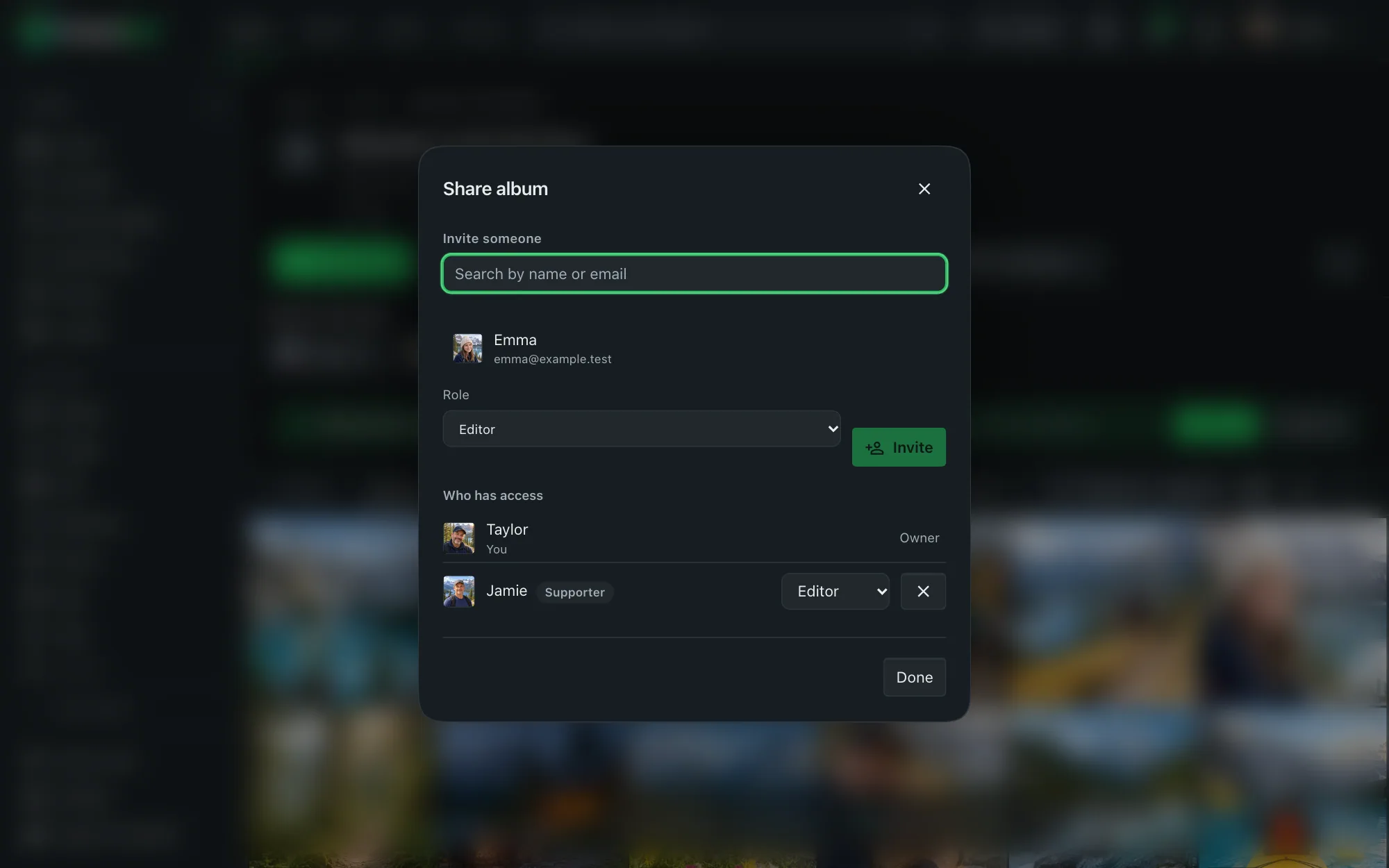
Shared spaces for the whole family.
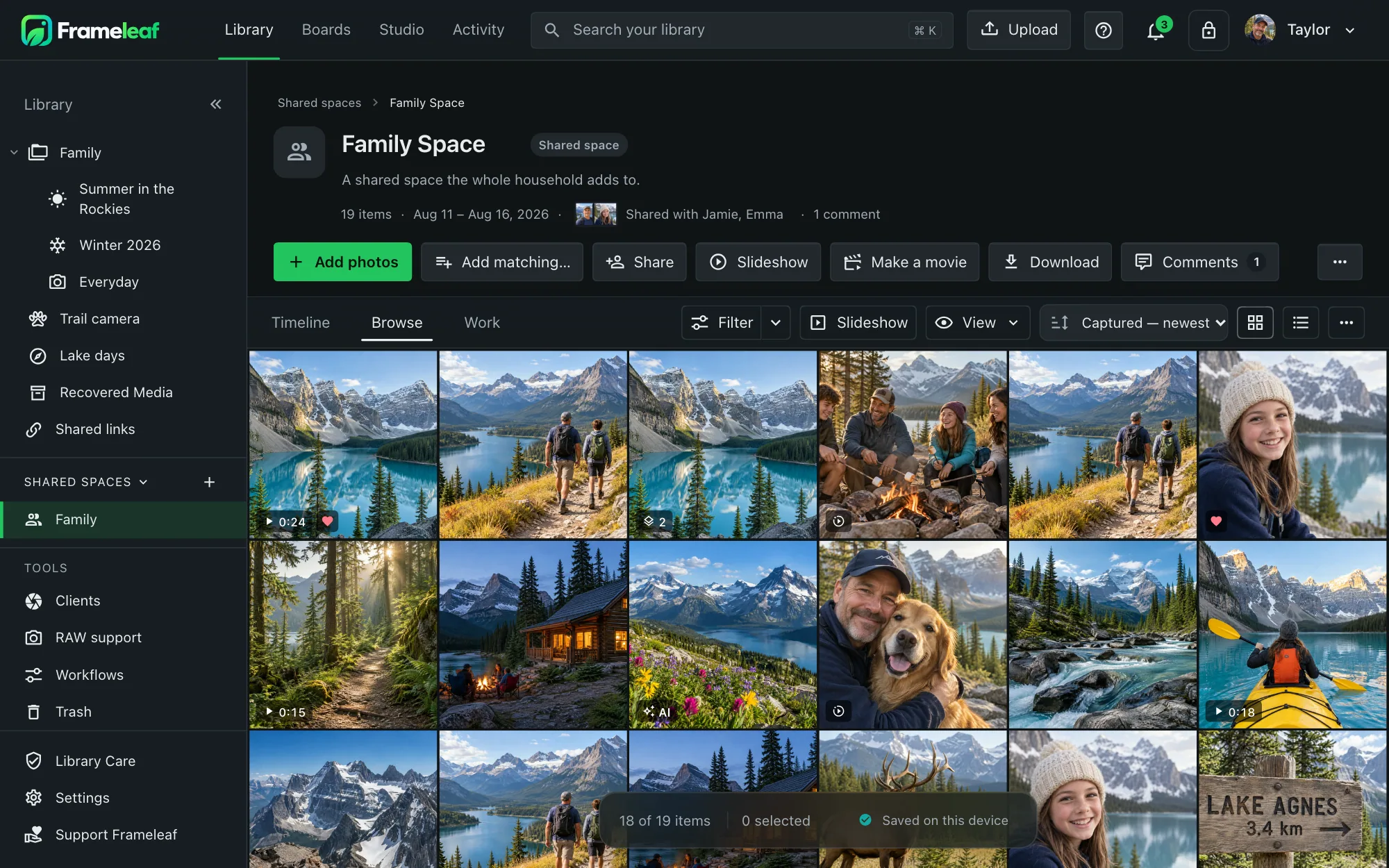
Likes and comments live in the activity feed. Removing photos, members or the whole space never deletes anyone's originals.
- Roles owner, editor or viewer for each member. Everyone keeps ownership of their own originals.
- Its own views photos, albums, people, map, activity, members, and "new since your last visit".
- Link an album and its current and future photos appear in the space.
- Add in bulk with a preview of the count first; it runs in the background and survives restarts.
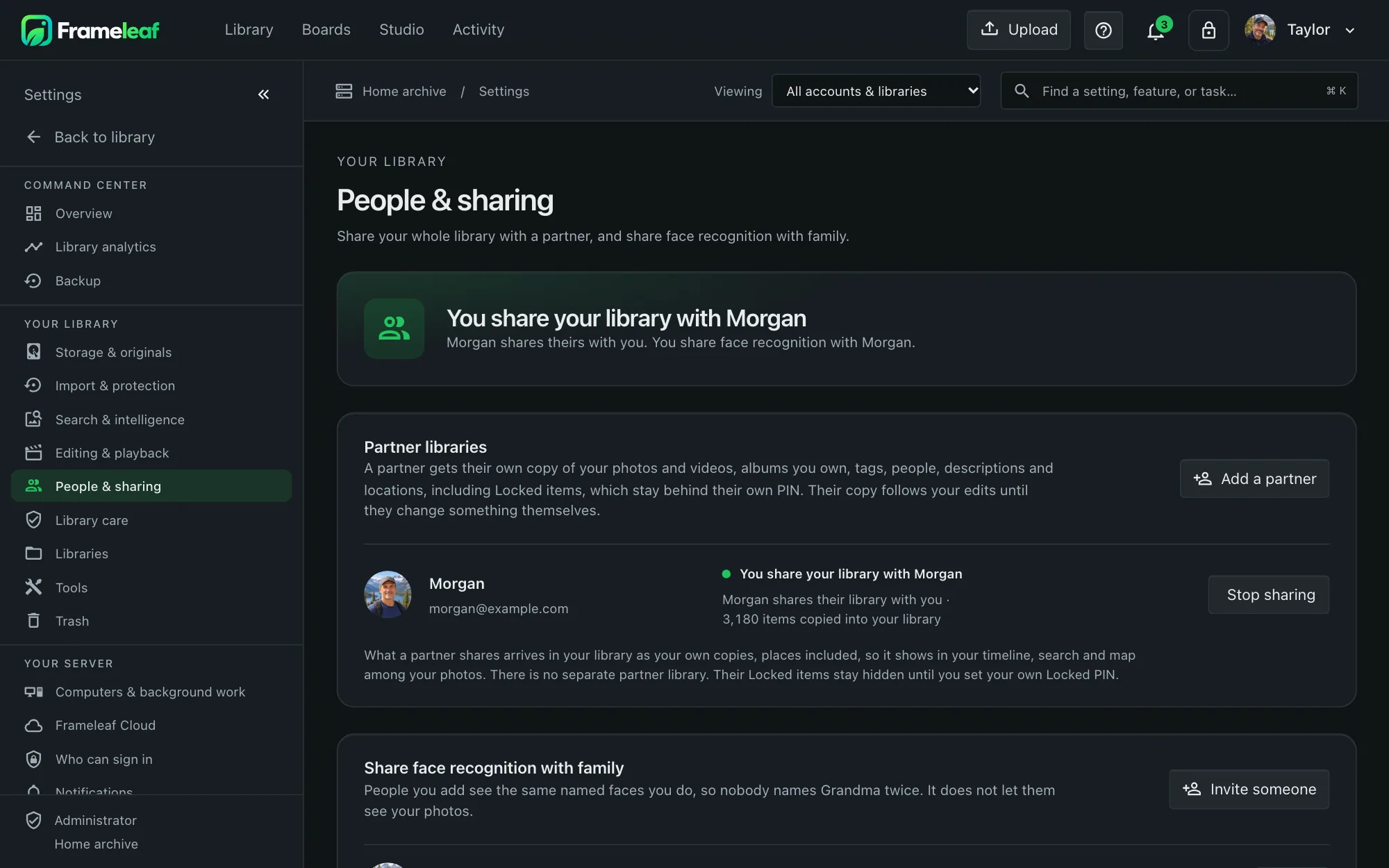
Partners.
Give a partner on the same server their own copy of your library: photos, videos, albums you own, tags, people, descriptions and locations. Their copies follow your edits until they change something themselves. Locked items arrive locked and open only with their own PIN. Sharing is one-way until they share back, and if you stop, they keep the copies they already have.


Links for everyone else.
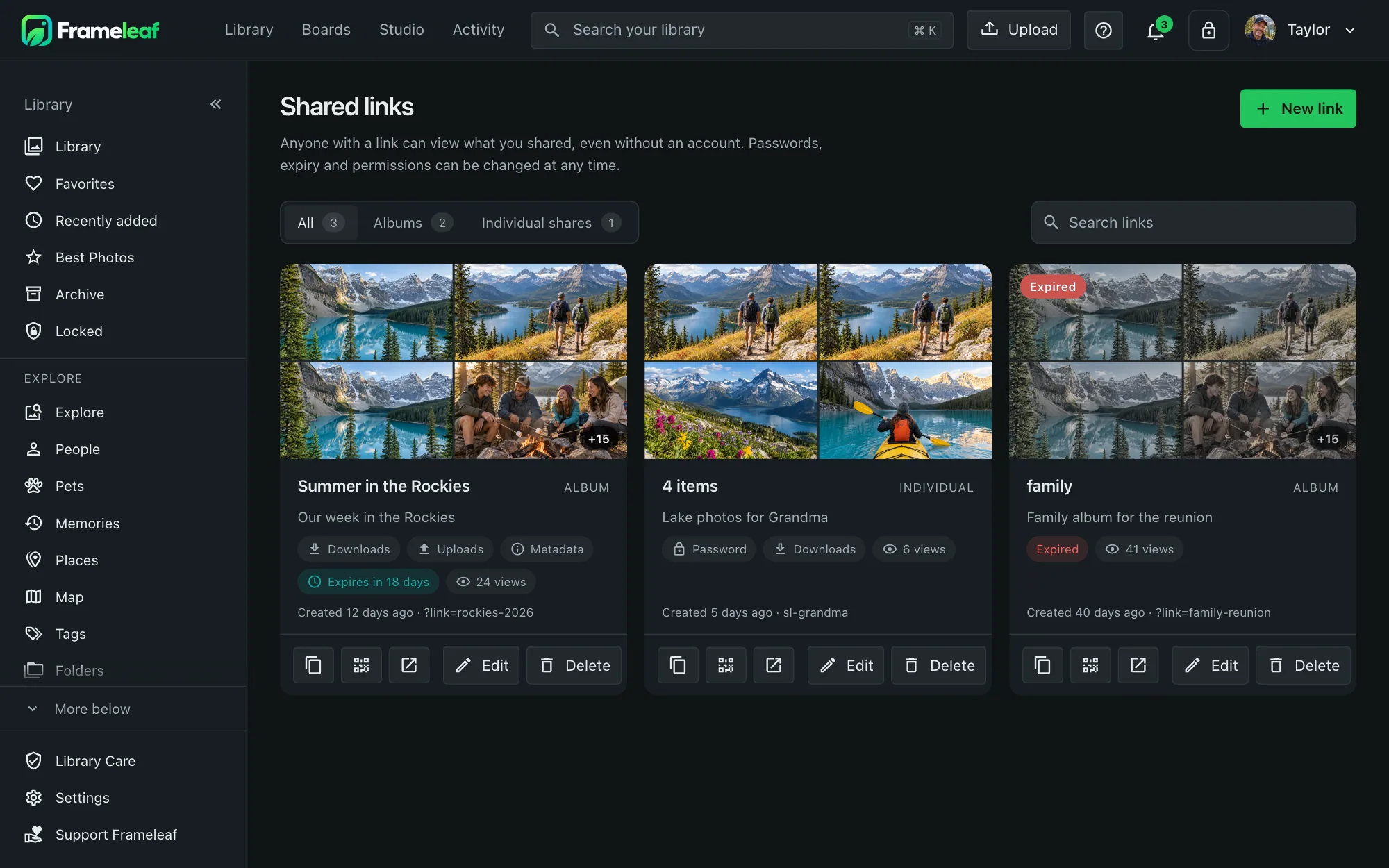
Links open without an account, with a slideshow and downloads when you allow them. Turn on uploads to collect guests' pictures from a wedding or family gathering. People outside your network need a reachable server, through remote access or your own connection.
- A readable address like photos.example.com/share/rockies-2026, or a QR code.
- Expiry from 30 minutes to a year, or never.
- Password protection, with a prompt that gives nothing away before it's entered.
- Downloads, uploads and details each allowed or not. Guests can even add their photos to your album.
Shared with you.
Send a handful of photos to one person on the server and they land in a "Shared with you" view. Groups like "Family" let you invite everyone in one step.
Private things stay private.
Locked in the app
Explicitly locked photos are excluded from other people's shared views. A partner's copy arrives locked behind their own PIN. Locked is an app access control, not end-to-end encryption; server jobs and someone with filesystem access can still read the files.
Edits follow the original
Edited versions inherit their original's privacy controls. Review those controls before sharing a result.
Review details
Choose whether a link shows metadata such as dates, places and tags. Personal Locked rules do not revoke photos already in shared albums, spaces or links. A partner's copy of a matching photo is locked behind their own PIN.
Revoke future access
Edit or remove a link or share when it is no longer needed. Revoking access cannot recall files someone already downloaded or copied.