
Creators in Boards
Creators is the part of Boards that keeps your own copy of what people post on the web. Paste the address of a video or a post to save it, or of a channel or an account to follow it: new posts are saved for you as they appear. Everything is downloaded by your own server and kept in your Boards, and only you can see where it came from.
Open Boards, then Creators at the top of the side panel. Or choose Add, then Add from the web…, from anywhere in Boards.
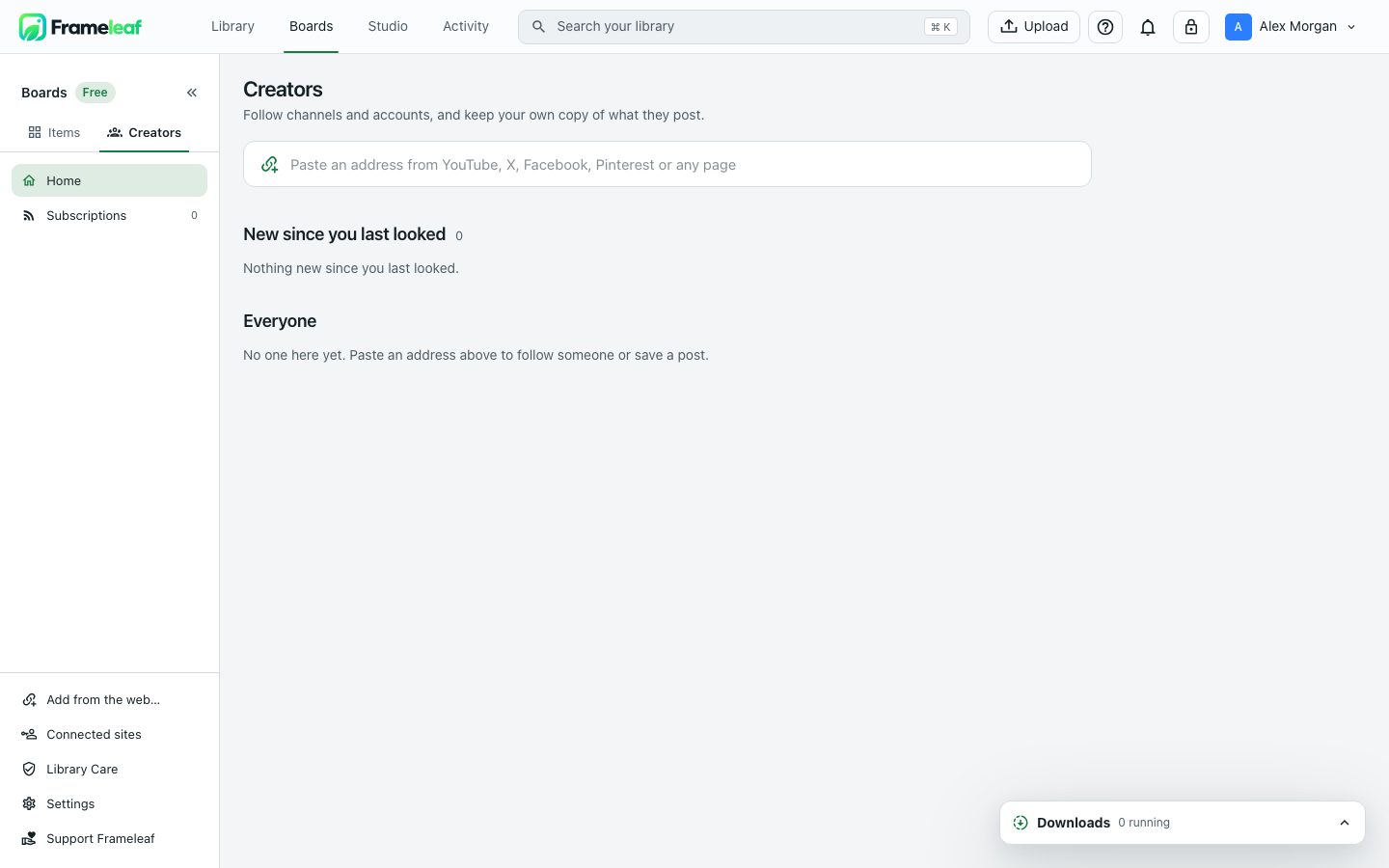
Creators, before you follow anyone. Select the image to enlarge it.
Save from a link
Section titled “Save from a link”Paste an address into the field at the top: “Paste an address from YouTube, X, Facebook, Pinterest or any page”. Frameleaf reads it and offers what fits.
One post or video
Section titled “One post or video”For a single post or video, choose the Video quality and check what Comes with it: the thumbnail, the title and description, tags and when it was posted. Choose Download. The creator is added under Creators so the post has a home, without following them. Turn on the switch to follow them as well if you’d like their new posts too.
Any other page
Section titled “Any other page”For other pages, Frameleaf lists the pictures and videos it found. Tick the ones you want and choose Download. If it can’t tell who posted them, choose a collection under Save into.
Follow a channel or an account
Section titled “Follow a channel or an account”Paste the address of a channel, an account, a profile, a board or a playlist to follow it. Then choose:
| Choice | What it does |
|---|---|
| What to save | The kinds of post to keep, such as videos and Shorts on YouTube, or pictures and videos on X. Replies, reposts and finished live streams are off unless you turn them on |
| Video quality | Best (the default), 1080p, 720p or Sound only |
| How far back | Their latest 20, then everything new; Everything they’ve posted; Since a date; or Only new posts from now on. You choose this each time |
| Look for new posts | Every 15 minutes, Every hour (the default), Every 6 hours or Once a day |
| Folder | A folder to keep them in under Creators, or New folder… |
Choose Follow and download. New posts are saved to the creator’s page under Creators, and only you can see it.
Creators, their pages and subscriptions
Section titled “Creators, their pages and subscriptions”Home shows New since you last looked, then Everyone you’ve saved from, which you can narrow by site. A creator’s page has tabs that follow their site, such as Videos, Shorts and Playlists on YouTube, with Filters, Not watched yet, sorting and a search of their posts.
On a creator you follow:
- Check now looks for new posts straight away.
- Pause stops saving new posts until you Carry on.
- Subscription changes what’s saved and how often.
- Unfollow stops new posts. Everything already saved stays.
If you remove or delete something here, it isn’t downloaded again. Subscriptions lists everyone you follow, with their status, how often Frameleaf looks for new posts and how much it has saved.
What you saved behaves like anything else in Boards: add it to a collection, rate and tag it, or Mark watched. Its details show From the post, with the title, creator, when it was posted and Open on its site, and Saved by your subscription or a single download.
Downloads
Section titled “Downloads”The Downloads tray at the bottom of Creators shows what’s running and anything that needs you. Each download says where it’s got to, such as Downloading · 3 of 10 or Putting the video together, then when it was saved, or Couldn’t be downloaded. with Retry. Stop ends one. Downloads run on your server, so they carry on when you close the browser.
Connected sites
Section titled “Connected sites”Some posts can only be seen when you’re signed in to the site. Connected sites, at the foot of the side panel, lets your server see them for you. When a post needs it, Creators says “Public posts only. Connect … to include posts you can only see when signed in.”
- For most sites, sign in to the site in your browser, then use the Save to Frameleaf extension from that tab. Use it again to refresh access when it runs out.
- For Bluesky and Reddit, you can connect in Frameleaf itself: with a Bluesky handle or email and an app password, or with a Reddit client ID and token.
Each connected site shows whether it’s Connected or Expired, which addresses it covers, and when it was last updated. Disconnect removes the stored access and stops the work that uses it.
Your server keeps this access encrypted and uses it only for your own downloads. Sharing a collection never shares your site access. To add or refresh a connection, open Frameleaf over HTTPS.
© 2026 Frameleaf Inc. All rights reserved.
Frameleaf and the Frameleaf logo are Trademarks of Frameleaf Inc.